
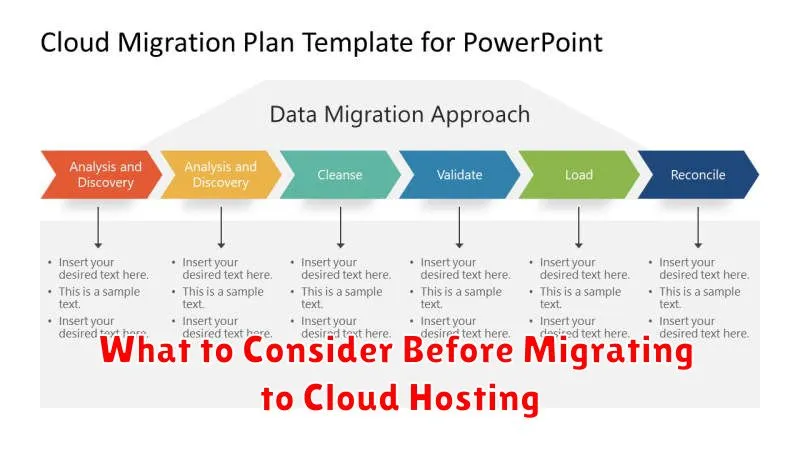
Migrating to cloud hosting can offer a plethora of benefits, from scalability and cost-effectiveness to enhanced security and reliability. However, a successful cloud migration requires careful planning and consideration of various factors. Before making the leap, businesses must thoroughly evaluate their current infrastructure, application needs, and future growth projections. Understanding the different cloud models (public, private, and hybrid) and choosing the right cloud provider are also crucial steps in the migration process. This article will delve into the key aspects to consider before migrating to cloud hosting, ensuring a smooth and efficient transition.
Choosing the correct cloud hosting solution involves evaluating factors like performance requirements, security needs, compliance regulations, and budget constraints. Businesses should carefully analyze their existing IT infrastructure and identify potential challenges that might arise during the migration process. Furthermore, understanding the various service level agreements (SLAs) offered by different cloud providers and assessing their expertise in handling specific industry requirements is essential for a successful cloud migration. By addressing these critical aspects, businesses can minimize risks and maximize the potential benefits of cloud hosting.
Understanding Cloud Migration Basics
Cloud migration is the process of moving digital assets, like applications, data, and IT resources, from on-premises infrastructure to a cloud-based environment. This can involve transferring everything at once, a “lift and shift” approach, or gradually transitioning components over time.
There are several primary cloud service models to consider: Infrastructure as a Service (IaaS), where you manage the operating system and up; Platform as a Service (PaaS), where the cloud provider manages the underlying infrastructure; and Software as a Service (SaaS), where you subscribe to applications running in the cloud. Choosing the right model is crucial for a successful migration.
Assessing Current Hosting Limitations
Before migrating to cloud hosting, a thorough assessment of your current hosting environment’s limitations is crucial. This evaluation helps justify the move and ensures the cloud solution addresses existing pain points.
Begin by identifying performance bottlenecks. Are you experiencing slow loading times, frequent downtime, or limited scalability? Quantify these issues whenever possible. For instance, note the frequency and duration of downtime incidents or the average page load speed during peak traffic.
Next, consider resource constraints. Is your current hosting plan restricting your storage capacity, bandwidth, or processing power? Evaluate whether these limitations hinder your ability to handle traffic spikes or deploy new features.
Choosing the Right Cloud Type (Public/Private)
A crucial decision in cloud migration is selecting between public and private cloud environments. Public clouds, offered by third-party providers, offer scalability and cost-effectiveness. They are suitable for businesses with fluctuating workloads and limited IT resources.
Private clouds, on the other hand, provide enhanced security and control. Residing within an organization’s own data center, they are ideal for businesses with strict regulatory compliance requirements or sensitive data.
Consider your organization’s specific needs regarding security, scalability, cost, and compliance when making this decision.
Data Transfer and Compatibility
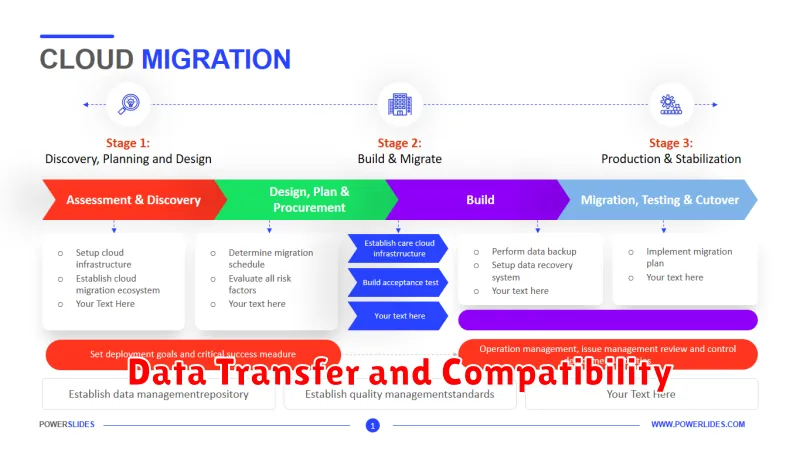
Data transfer considerations are crucial when migrating to cloud hosting. Evaluate the volume of data you need to transfer and the associated costs. Large data transfers can be time-consuming and expensive. Consider using tools provided by the cloud provider to streamline this process.
Compatibility is another critical factor. Ensure your applications, databases, and operating systems are compatible with the chosen cloud environment. Check for any dependencies or required modifications before initiating the migration. Incompatibilities can lead to significant delays and disruptions.
Security and Compliance Requirements
Security and compliance are paramount when considering cloud migration. Carefully assess your specific needs. Identify any industry regulations, like HIPAA or GDPR, that you must adhere to. Your chosen cloud provider should offer robust security features and demonstrate compliance with relevant standards.
Consider factors such as data encryption, access controls, and vulnerability management. Evaluate the provider’s security certifications and their track record in handling security incidents. Ensure they offer adequate data protection and disaster recovery capabilities to maintain business continuity.
Downtime During Transition
Downtime is a critical factor to consider when migrating to cloud hosting. A seamless transition minimizes disruption to your operations and maintains user access to your services.
Several factors influence the duration of downtime, including the size of your data, the complexity of your application, and the chosen migration strategy. Careful planning and execution are essential to minimize this period. Evaluate potential migration strategies like phased migrations or live transfers to determine the best approach for your specific needs. Testing the migration process thoroughly in a staging environment is crucial to identify and address potential issues before the actual migration, further reducing the risk of extended downtime.
Communicate planned downtime clearly with your users to manage expectations and minimize disruption. Provide updates throughout the migration process to keep them informed.
Estimating Migration Costs
Accurately estimating cloud migration costs is crucial for budgeting and planning. Several factors contribute to the overall cost.
Data migration costs involve transferring your existing data to the cloud. This depends on the volume of data, network bandwidth, and chosen migration method.
Resource provisioning costs cover the cloud resources you’ll need, such as virtual machines, storage, and databases. Consider the size and type of resources required to support your workload.
Refactoring applications for cloud optimization might incur costs, especially if significant code changes are necessary. Downtime during migration can also impact your business and should be factored into the overall cost assessment.
Support from Your Hosting Provider
Technical support is a crucial factor when migrating to cloud hosting. Assess your provider’s support options. Do they offer 24/7 support? What channels are available (phone, email, chat)? A responsive support team can be invaluable during and after the migration process.
Inquire about their expertise with cloud migrations. Experience migrating similar applications or databases as yours can significantly reduce potential issues. Furthermore, understand the provider’s Service Level Agreement (SLA) regarding uptime and issue resolution. A strong SLA provides assurance and a clear understanding of expected service levels.
Training Your Team
A successful cloud migration requires a skilled team. Training is essential to equip your personnel with the knowledge and expertise to manage the new cloud environment. This includes understanding the chosen cloud platform’s specific tools, services, and security protocols.
Assess your team’s current skill set to identify gaps that need to be addressed. Consider various training approaches such as online courses, vendor-led workshops, or hands-on practice sessions. Investing in comprehensive training minimizes potential issues during and after the migration, ensures smooth operations, and maximizes the benefits of cloud hosting.
Post-Migration Optimization
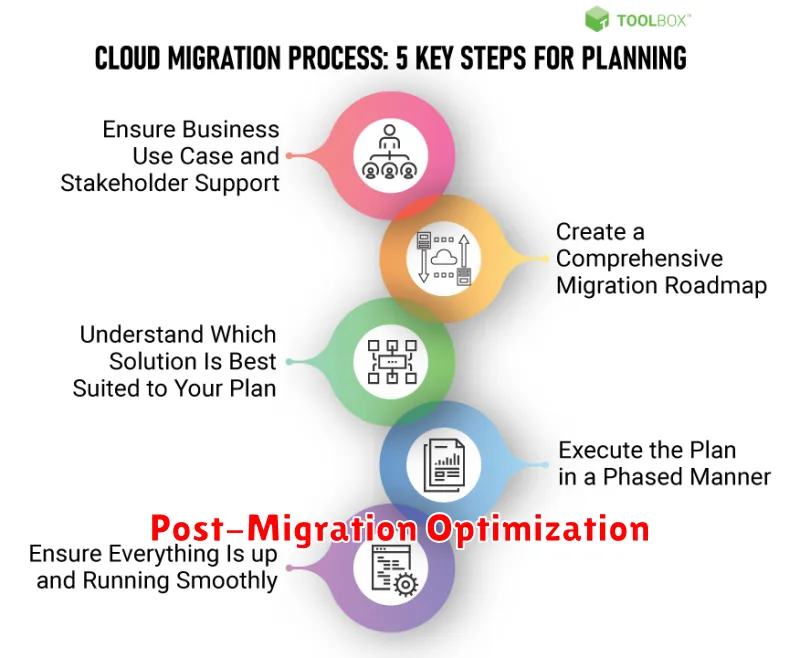
After the migration is complete, the optimization phase begins. This involves fine-tuning the cloud environment for performance, security, and cost-efficiency.
Performance optimization activities might include right-sizing instances, leveraging caching mechanisms, and optimizing database queries. This ensures your applications run smoothly and efficiently in the new cloud environment.
Security optimization involves reviewing security groups, implementing intrusion detection systems, and regularly patching systems. A secure cloud environment is crucial for protecting sensitive data and maintaining business continuity.
Cost optimization focuses on identifying and eliminating unnecessary spending. This might include deleting unused resources, leveraging reserved instances, and implementing automated scaling solutions.
