
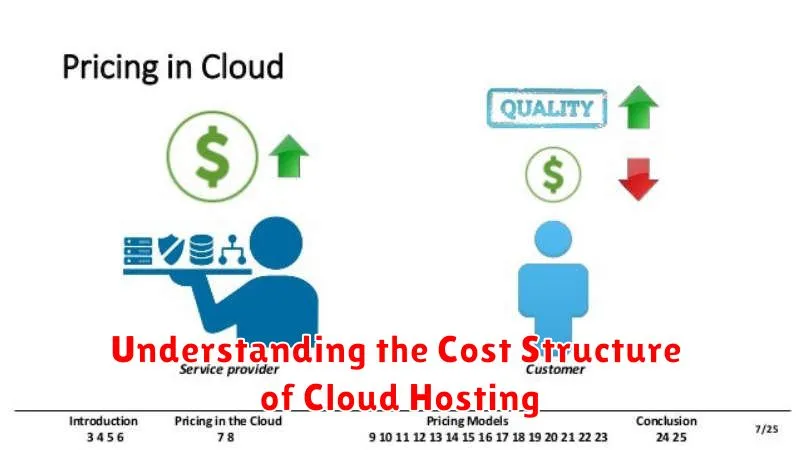
Cloud hosting offers businesses a flexible and scalable solution for their IT infrastructure needs. However, navigating the cost structure of cloud hosting can be complex. Understanding the various factors that contribute to cloud hosting costs is crucial for effective budget management and maximizing the return on investment. This article aims to demystify cloud computing costs by breaking down the key components and providing insights into different pricing models. Whether you are considering migrating to the cloud or already utilizing cloud services, gaining a comprehensive understanding of the cost structure will empower you to make informed decisions and optimize your cloud spending.
From compute costs and storage costs to data transfer fees and managed services, several factors influence the overall cost of cloud hosting. Different cloud providers offer various pricing plans and service level agreements (SLAs) which can further complicate the decision-making process. This article will explore the common cost drivers, including compute instances, storage types, networking fees, and additional services such as databases and security features. By gaining a clear understanding of these components, you will be better equipped to evaluate cloud hosting providers, choose the right pricing model for your needs, and effectively manage your cloud budget.
Billing by Resource Usage
This billing model centers around the principle of “pay-as-you-go.” You are charged based on the specific resources your applications consume. This offers great flexibility and cost control, as you only pay for what you use.
Common resources billed include compute time (CPU usage), storage (disk space used), memory (RAM), and data transfer (bandwidth). The pricing for each resource is usually measured in units like hours, gigabytes, or terabytes.
Storage and Bandwidth Costs
Storage and bandwidth are two fundamental components impacting the overall cost of cloud hosting. Storage costs refer to the fees associated with storing your website’s files, databases, and other data on the provider’s servers. The more data you store, the higher the cost.
Bandwidth costs, on the other hand, relate to the amount of data transferred between your server and your users’ devices. This includes uploading and downloading files, loading web pages, and streaming media. Higher traffic volumes generally translate to higher bandwidth consumption and thus, increased costs.
Factors influencing these costs include the type of storage (e.g., standard, premium), bandwidth usage, and the cloud provider’s pricing model.
Fixed vs Pay-as-You-Go Models

Choosing between fixed and pay-as-you-go pricing models is a crucial decision in cloud hosting. Fixed price models offer a predictable monthly cost, suitable for stable workloads with consistent resource needs. You pay a set fee for a predetermined amount of resources, regardless of actual usage.
Pay-as-you-go models offer flexibility and cost-efficiency for variable workloads. You only pay for the resources consumed, making it ideal for projects with fluctuating demands or unpredictable traffic. This model allows for scaling resources up or down as needed.
Consider your workload’s characteristics and growth predictions when deciding between these two models. Stability and predictability favor fixed pricing, while flexibility and cost optimization favor pay-as-you-go.
Hidden Charges to Watch Out For
While cloud hosting offers flexibility and scalability, it’s crucial to be aware of potential hidden costs that can inflate your bill. Data transfer fees are often overlooked. Transferring data in and out of your cloud server can incur significant charges, especially with large volumes of data.
Storage costs can also escalate unexpectedly. While initial storage might seem inexpensive, the cost can quickly increase as your data storage needs grow. Be mindful of different storage tiers and their associated pricing.
Support fees are another potential hidden cost. While basic support might be included, more advanced support services or guaranteed response times can come at a premium. Carefully review the support options and their pricing structure.
Estimating Monthly Hosting Costs
Accurately estimating monthly hosting costs is crucial for effective budget management. Several factors contribute to the overall cost, making it essential to understand each component.
Compute Costs: This is typically the most significant expense and depends on factors like the chosen instance type, CPU, RAM, and operating system. Higher specifications translate to higher costs.
Storage Costs: This depends on the amount of data stored and the type of storage used. Different storage tiers offer varying performance and cost levels.
Data Transfer Costs: Data transferred in and out of your cloud environment can incur charges. Be mindful of data transfer rates, especially for large datasets.
Budgeting Tools and Alerts
Cloud providers offer various tools to help manage and control costs. Budgeting tools allow you to set spending limits and track usage against those limits. These tools often provide visualizations of your spending trends, making it easier to identify areas for potential savings.
Alerting mechanisms are a crucial component of cloud cost management. You can configure alerts to notify you when your spending approaches or exceeds predefined thresholds. This allows for proactive intervention to avoid unexpected overspending.
Benefits of Reserved Instances
Reserved Instances (RIs) offer significant cost advantages compared to on-demand pricing. By committing to a specific instance type and term, you can benefit from substantial discounts, often reaching up to 75% off on-demand rates. This makes RIs a financially attractive option for predictable and steady-state workloads.
Beyond cost savings, RIs provide capacity reservation. In regions with high demand, reserving instances ensures you have the compute resources you need, minimizing the risk of capacity constraints affecting your operations. This is particularly crucial for mission-critical applications and businesses requiring predictable resource availability.
RIs offer flexibility. You can modify certain aspects of your RIs, such as instance size and operating system, to adapt to evolving business needs. While changes are subject to specific rules and limitations, this flexibility allows you to optimize your RI portfolio without being locked into a rigid configuration.
Using Cost Calculators from Providers
Cloud providers offer cost calculators to help estimate potential expenses. These tools allow you to input your expected resource usage, such as compute, storage, and bandwidth. By selecting specific instances, storage types, and data transfer rates, you can obtain a more precise cost estimate.
While helpful, it’s important to understand that these calculators provide estimates, not guarantees. Your actual costs can vary based on your real-world usage patterns. Factors like data egress, specialized services, and support options can significantly impact the final bill.
Carefully review the assumptions made by the calculator and consider potential variations in your usage to avoid surprises. Using multiple providers’ calculators can also be valuable for comparison.
Comparing Providers’ Cost Structure
Comparing cloud hosting providers requires careful consideration of their cost structures. Pricing models vary significantly, with some providers offering pay-as-you-go structures while others utilize subscription-based models. Resource-based pricing is common, where you pay for the compute, storage, and networking resources consumed.
Key factors to compare include: compute costs (CPU, RAM), storage costs (SSD, HDD), data transfer costs (inbound, outbound), and additional services like databases or load balancers.
Analyzing these components across different providers enables informed decision-making, aligning your budget with your performance and scalability needs. Don’t hesitate to use cost calculators provided by many platforms to estimate expenses based on projected usage.
Tips to Reduce Monthly Bills
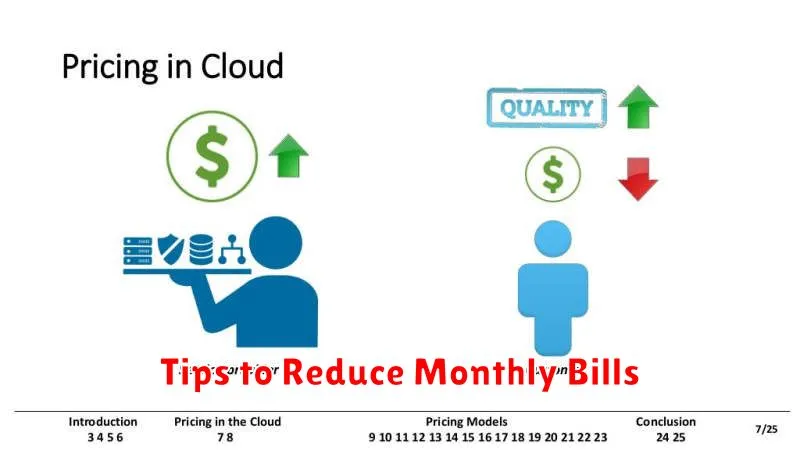
Managing cloud hosting costs effectively is crucial for maximizing your return on investment. Here are some practical tips to help reduce your monthly cloud hosting expenses:
Right-Size Your Resources
Avoid overspending by choosing the correct instance sizes for your workloads. Downsizing instances that are underutilized can significantly lower costs. Regularly monitor your resource utilization and adjust accordingly.
Leverage Reserved Instances or Savings Plans
Committing to longer-term usage through reserved instances or savings plans can lead to substantial discounts compared to on-demand pricing. If your workloads are stable and predictable, these options can offer significant savings.
Delete Unused Resources
Eliminate unnecessary expenses by identifying and deleting idle resources like unused virtual machines, storage volumes, and snapshots. Regularly review your cloud environment to ensure you’re only paying for what you need.
